
SOFTWARE
APP DOWNLOADS
-
PLATINUM ACCEPTOR TOOLS
Configure, update, and diagnose your Platinum Bill Validator.
-
BLUSTREAM ACCPEPTOR TOOLS
Configure, update, and diagnose your Pyramid Bill Validator from a smart phone.
-
ACCEPTOR TOOLS
Configure, update, and diagnose your Pyramid Bill Validator from your PC.
-
RELIANCE TOOLS
Configure and Flash Update your Reliance Thermal Printer.
-
PHOENIX TOOLS
Configure, update, and diagnose your Pyramid Phoenix Thermal Printer.
-
RS-232 TEST APPLICATION
Test RS-232 enabled bill acceptors. Source code is available for this through dev.pyramidacceptors.com.
-
PTI DRIVER UNINSTALLER
Cleanly uninstalls any driver from your Windows operating system that was provided by Pyramid Technologies.
-
PRO-2 TOOLS
Update firmware on your Pro-2 programmers.
-
APEX MODEL NUMBER GENERATOR
Generate model numbers for ordering Apex Bill Validators from Pyramid.
-
RELIANCE PRINTER MONITOR
Reliance Printer Monitor for Windows.
RELIANCE PRINTER DRIVERS
Windows Printer Driver
This driver is not required if you are receiving Windows updates. Reliance thermal printer is 100% plug and play.
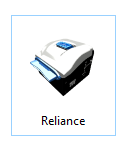
The Reliance Thermal Printer can be used as a true Windows print as shown here:
MacOS Printer Driver
We support OSX 10.6 and newer.
Linux Printer Driver
We support the following Linux operating systems:
Debian
Ubuntu
Fedora
If you require an operating system not listed here,
please let us know.
PHOENIX PRINTER DRIVERS
Windows® Printer Driver
You must have a Windows printer to use the windows printer driver.
This driver is available via Windows update or can be downloaded from the link below.
Model Number: PHX-USB 12 VOLTS DC
Check the bottom of your Phoenix for this model code.
MacOS Printer Driver
We support OSX 10.6 and newer.
Linux Printer Driver
We support the following Linux operating systems:
Debian
Ubuntu
Fedora
If you require an operating system not listed here,
please let us know.
To install the driver, extract and run the setup script via
tar xvzf Phoenix.Linux.[VERSION].tar.gz bash pyramid_install_[VERSION].run
Where [VERSION] is the downloaded file version.
Can't find what you need?
Send us a message and one of our experienced associates will be happy to help you!